How to Write a Meta Description (With Examples)
Learn how to write a meta description that earns clicks — with real examples and exact steps for WordPress, Wix, Squarespace, Webflow, Shopify and custom sites.

On this page
If ScoutRival’s SEO Score flagged “Add meta descriptions,” it found pages on your site with no description tag. That means Google is writing your search snippet for you — and it almost never does it as well as you can. The good news: writing a strong meta description takes about two minutes per page, needs no coding, and this guide walks you through it on every major platform with real examples.
What is a meta description?
A meta description is a short piece of HTML text that summarises what a web page is about. It doesn’t appear on the page itself — it lives in the page’s code — but search engines often display it as the grey snippet of text beneath your blue title link in the results.
Think of it like the back cover of a book. The title gets someone to pick the book up, but the blurb on the back is what convinces them to actually buy it. Your meta description is that blurb: a two-line pitch that runs right where a potential visitor is deciding whether to click your result or a competitor’s.
In one sentence: a meta description is the concise, human-written summary of a page that search engines can show under its title to encourage clicks.
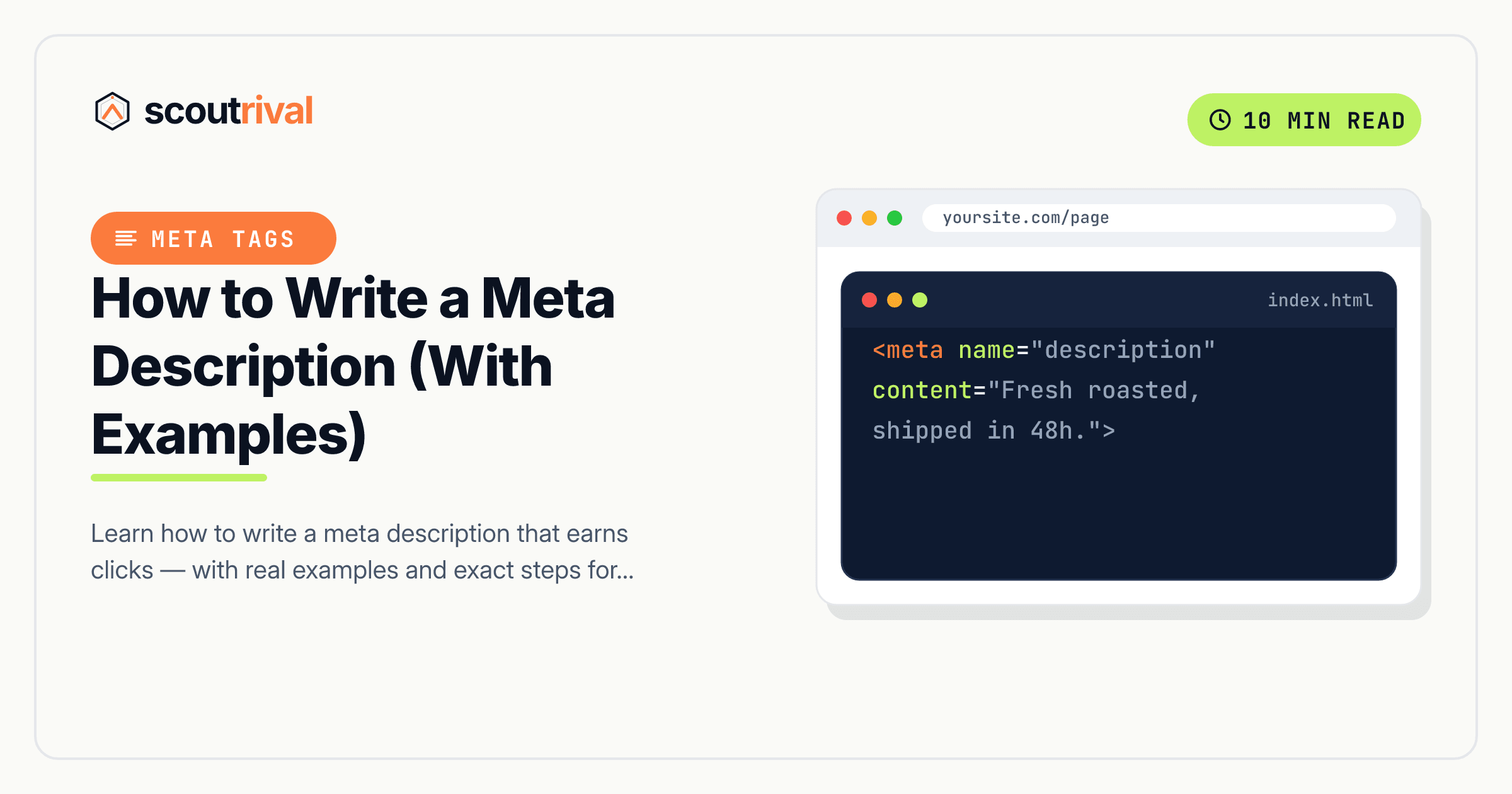
Here’s what one looks like in your page’s code:
<meta name="description" content="A clear, benefit-led summary of the page in 70–155 characters.">
Importantly, a meta description is a suggestion, not a guarantee. Google shows your description most of the time, but it may swap in its own snippet if it thinks a different bit of your page better matches the searcher’s query. That’s normal — a good description still wins the display far more often than not, so it’s always worth writing one.
Why meta descriptions matter for your SEO
Meta descriptions don’t directly boost your rankings — Google has said as much for years. But they do something almost as valuable: they influence your click-through rate, the percentage of people who see your result and actually click it.
Here’s why that matters:
- More clicks, same ranking. Two sites can sit side by side in the results. The one with the sharper, more inviting description will steal more of the clicks — free traffic without moving up a single position.
- Missing descriptions look unfinished. When you leave the field blank, Google stitches together a snippet from your page copy. Sometimes it’s fine; often it’s a half-sentence, a cookie notice, or navigation text that reads awkwardly and reduces trust.
- AI search rewards clarity. Answer engines and AI overviews increasingly summarise pages. A crisp, self-contained description helps them understand and present your page accurately.
ScoutRival’s SEO Score checks whether each important page has its own meta description. When a page is missing one, the check fails — and the fix below clears it, tightening up how your site looks in every search result.
How to check if you have this problem
You have two quick ways to see whether a page is missing its description.
The 30-second manual check: Search Google for your page (or type site:yoursite.com to list your pages) and read the snippet under each title. If the text looks like a clean, deliberate summary, you probably have a description. If it looks like a random cut-off sentence — or worse, menu links or a “skip to content” fragment — that page likely has no meta description.
You can also right-click the page, choose View page source, and press Ctrl/Cmd+F to search for name="description". If nothing comes up, the tag is missing.
The tool check: Running ScoutRival’s SEO Score scans every page it audits and lists exactly which ones are missing a meta description — no source-code digging required. That’s the fastest way to find every offender across your whole site at once.
How to fix it — step by step
The principle is the same everywhere: find the SEO description (or meta description) field for the page and fill it with a good 70–155 character summary. Below are the exact menu paths for each platform, plus the raw HTML for custom sites.
Before the steps, here’s the anatomy of a description worth writing:
- Lead with the benefit or the answer, not with your brand name.
- Include the keyword naturally — Google bolds matching words in the snippet, which draws the eye.
- Stay between 70 and 155 characters so it isn’t cut off.
- End with a nudge to click — a light call to action or a promise of what’s inside.
A good example for a plumber’s service page: “Emergency plumber in Leeds, available 24/7. Fast, upfront pricing and no call-out fee. Get a same-day quote for leaks, blockages and boiler repairs.”
A weak example: “Welcome to our website. We are a plumbing company. Contact us to learn more about our services and what we do.” (Vague, no keyword, no reason to click.)
WordPress
WordPress doesn’t add a meta description field on its own — you’ll use an SEO plugin, which almost every WordPress site already has.
- Edit the page or post you want to fix.
- Scroll to the Yoast SEO or Rank Math panel below the editor (or open it in the sidebar).
- Click Edit snippet (Yoast) or find the Description field (Rank Math).
- Type your description into the Meta description box. A live counter shows the length and turns green when you’re in range.
- Update the page to save.
If you don’t see an SEO panel, install a free SEO plugin like Yoast SEO or Rank Math first — they add the field everywhere.
Wix
Wix gives every page its own SEO settings.
- Go to your Wix dashboard → Marketing & SEO → SEO Tools, or edit the page directly.
- Open the page’s SEO Settings → SEO Basics panel (the settings icon next to each page in the Pages menu also opens this).
- Find the What’s the page about? (Description) field and enter your summary.
- Watch the character guidance, then Save and Publish.
Squarespace
Squarespace has a per-page SEO description field, plus a site-wide fallback.
- In the Pages panel, hover the page and click the gear icon to open Page Settings.
- Go to the SEO tab.
- Fill in the SEO Description field with your 70–155 character summary.
- Click Save. To set a default for pages you haven’t customised, go to Settings → Marketing → SEO and edit the description formats there.
Webflow
Webflow lets you set a meta description per page.
- Open the Pages panel and click the gear/settings icon on the page you want to edit.
- Scroll to the SEO Settings section.
- Enter your text in the Meta Description field. (For CMS collection pages, you can set a template that pulls in fields like the item name.)
- Click Save, then Publish your site so the change goes live.
Shopify
Shopify calls this the meta description and it sits in each page, product, or collection’s editor.
- Open the product, collection, page, or blog post in your Shopify admin.
- Scroll to Search engine listing and click Edit.
- Type your summary into the Meta description field — Shopify shows a live preview of the snippet.
- Click Save.
Any other website (custom or unlisted CMS)
If you hand-code your site or use a builder not listed above, add the tag yourself. Place a single description meta tag inside the <head> of each page, and make it unique per page:
<meta name="description" content="A clear, benefit-led summary of the page in 70–155 characters.">
- Open the page’s HTML (or the template/layout file that renders its
<head>). - Add the tag above, swapping in a description written specifically for that page.
- If pages share a template, output a page-specific variable so each one gets its own text — never repeat the same description across many pages.
- Save and redeploy.
How to confirm it’s fixed
- View the source of the page (right-click → View page source) and search for
name="description"— your new text should be there. - Search for the page in Google after a re-crawl (this can take a few days). The snippet should now show your description. You can speed up re-crawling by requesting indexing in Google Search Console → URL Inspection.
- Re-run your ScoutRival SEO audit. The “Add meta descriptions” item should now pass, and your On-page pillar score should tick up.
Common mistakes to avoid
- Duplicating the same description across pages. Each page needs its own — reused descriptions look generic and waste the chance to sell each page individually.
- Stuffing in keywords. Repeating your keyword three times reads like spam and can make Google ignore your description entirely. Use it once, naturally.
- Writing for robots, not readers. The snippet is seen by a human deciding whether to click. Write like you’re talking to that person.
- Ignoring length. Too long and it’s cut off mid-word; too short and it looks thin. Aim for one to two full sentences — see our guide on meta description length for the exact character targets.
- Leaving the field blank on your most important pages. Homepage, service pages, and top blog posts earn the most impressions — write those descriptions first.
The bottom line
A meta description is your two-line sales pitch in the search results. It won’t move you up the rankings, but a sharp, benefit-led summary earns you more clicks from the position you already hold — one of the cheapest wins in SEO. Write a unique 70–155 character description for each page, lead with the value, include your keyword once, and end with a reason to click.
Want to see exactly which pages are missing a description across your whole site? Run a free SEO Score with ScoutRival and get a prioritised, plain-English to-do list. Once you’ve written your descriptions, make sure they’re the right size with our guide on meta description length.
Frequently asked questions
What is a meta description?
How do I write a good meta description?
Do meta descriptions help SEO?
What happens if I don't write a meta description?
How long should a meta description be?
Does Google always use my meta description?
Where do I add a meta description on Wix, Squarespace or Shopify?
Nasir Uddin is an SEO consultant and ScoutRival's SEO & Growth Lead. He's spent years helping small businesses climb the search results — and now the AI answers too — and writes about SEO, AI-search visibility, and turning organic traffic into real growth.
Keep reading
All SEO →
Stop reading about it. Ship it this week.
ScoutRival turns competitor intel into ready-to-post content and graphics — for a fraction of an agency.