How to Create SEO-Friendly URL Slugs
Learn how to create an SEO-friendly URL structure with clean slugs — with exact steps for WordPress, Wix, Squarespace, Webflow, Shopify and custom sites.

On this page
If ScoutRival’s SEO Score flagged “Use descriptive URL slugs,” it means one or more of your pages uses an opaque or messy URL — numeric IDs, query strings, or random characters instead of real words. It’s a low-severity but genuinely useful fix: readable URLs help both people and search engines, and this guide shows you how to clean them up on every major platform, no coding required.
What is a URL slug?
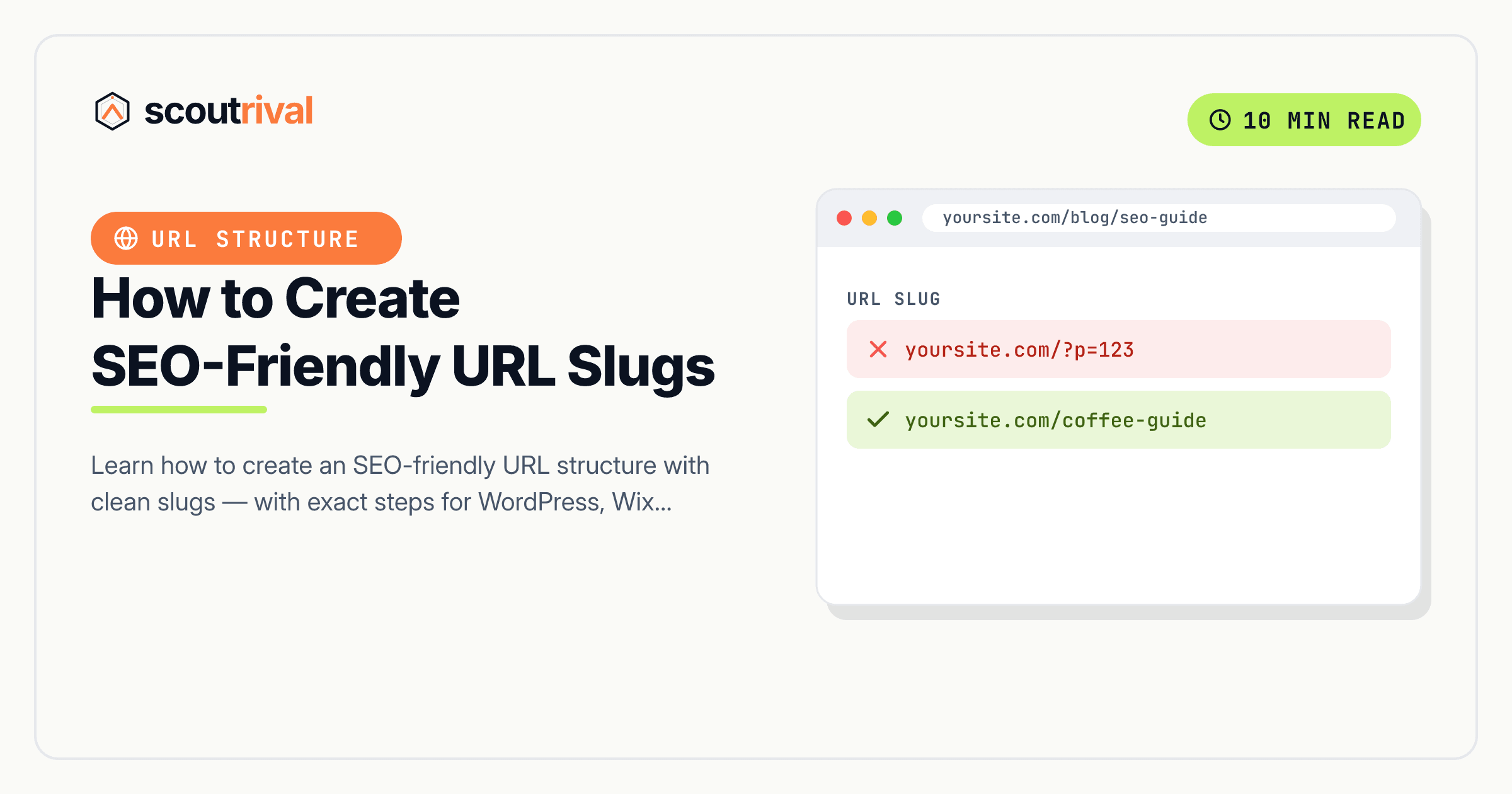
A URL slug is the part of a web address that identifies a specific page, usually the bit after your domain name. In yoursite.com/blue-running-shoes, the slug is blue-running-shoes. An SEO-friendly URL structure simply means your slugs are made of clean, human-readable words that describe what’s on the page — not database IDs or tracking codes.
Think of a slug like the title on a file folder in a filing cabinet. A folder labelled “Blue Running Shoes” tells you exactly what’s inside before you open it. A folder labelled “8842-xq?ref=2” tells you nothing — you’d have to open it to find out. Search engines and human visitors both prefer the labelled folder, and they treat clean URLs the same way: as a small, honest preview of the page.
In short: a slug is the readable, page-specific portion of a URL, and an SEO-friendly slug uses short keyword-relevant words separated by hyphens.
Why SEO-friendly URLs matter for your SEO
A messy URL won’t get you penalised, but a clean one quietly helps in several ways:
- A small ranking clue. Google reads the words in your URL as one more signal of what the page is about.
/beginners-guide-to-yogareinforces the topic;/node/7741says nothing. - More clicks when shared. In search results, social posts and messages, people scan the URL. A readable slug looks trustworthy and relevant, so it earns more clicks than a string of numbers and symbols.
- Easier to remember and type. Clean URLs are the kind people can actually recall or read aloud — helpful for word-of-mouth and offline mentions.
- Better for AI answer engines. When tools like ChatGPT or Google’s AI overviews cite a source, a descriptive URL helps confirm the page matches the question being answered.
None of this is dramatic, which is why it’s a low-severity check — but it’s a genuine polish, and easy to get right on new pages from day one. ScoutRival’s SEO Score flags “Use descriptive URL slugs” when it finds URLs built from numeric IDs or query strings rather than words, so you know which pages are worth tidying.
How to check if you have this problem
You can judge your URLs in about 30 seconds.
The quick manual check: look at the address bar on a few of your key pages. Ask:
- Is the slug made of real words a person would understand, like
/pricingor/how-to-clean-a-cast-iron-pan? - Or is it a numeric ID or query string like
/?p=123,/page/8842, or/index.php?cat=4&id=99?
If your important pages read like words, you’re in good shape. If they read like a database dump, those are the ones to fix.
The tool check: ScoutRival’s SEO Score scans your crawled pages and lists those with cryptic slugs, so you don’t have to review every URL by hand — and it points you to the pages where a clean slug matters most.
What makes a good slug
Before the platform steps, here’s the recipe every good slug follows:
- Use words, not IDs.
/emergency-plumbingbeats/service?id=17. - Separate words with hyphens, not underscores or spaces.
blue-running-shoes, neverblue_running_shoesorblue%20running%20shoes. - Keep it lowercase. Mixed-case URLs can create duplicate-URL confusion on some servers.
- Keep it short and focused. Include the main keyword and drop filler words (a, the, and, of) where the meaning survives.
- Drop numeric IDs, dates and query strings you don’t need.
/how-to-repot-a-plantis better than/2023/07/how-to-repot-a-plant-88421.
How to fix it — step by step
On every platform the goal is the same: replace cryptic slugs with short, hyphenated, keyword-relevant words — and add a redirect from the old URL whenever the page is already live.
WordPress
WordPress calls the slug a permalink:
- First, set a sensible site-wide format: go to Settings → Permalinks and choose “Post name” (this gives you
yoursite.com/your-post-name). Avoid the “Plain” option, which produces?p=123URLs. - To edit an individual page, open it in the editor and click the URL / permalink field (in the block editor it’s in the Settings → Page sidebar, under “URL”). Type your clean slug.
- If the page is already published and getting traffic, add a 301 redirect from the old URL — an SEO plugin like Yoast or Rank Math has a Redirects tool, or use a dedicated redirect plugin.
Wix
In Wix you edit slugs per page:
- Open the Pages menu, click the ⋯ (More Actions) next to the page, and choose Settings.
- In the URL slug field, replace the current slug with clean, hyphenated words and save.
- Wix can automatically create a 301 redirect from the old URL when you change a published page’s slug — accept the prompt, or add the redirect under SEO Tools → URL Redirect Manager.
Squarespace
Squarespace calls it the URL Slug:
- Open the page or blog post, then go to Settings → General (or the SEO/URL area, depending on the item type).
- Edit the URL Slug field to use clean, hyphenated words, and save.
- When you change a live URL, add a redirect: go to Settings → Developer Tools → URL Mappings and map the old path to the new one with a 301 (
/old-slug -> /new-slug 301).
Webflow
In Webflow you set slugs in page and collection settings:
- For a static page, open Page Settings and edit the Slug field. For a CMS/collection item, open the item and edit its Slug there.
- Use clean, hyphenated words, then publish so the change goes live.
- Add a 301 redirect from the old URL under Project Settings → Publishing → 301 Redirects so you don’t lose the old page’s value or leave broken links.
Shopify
Shopify calls it the URL handle:
- Open the product, collection, page or blog post, scroll to Search engine listing, and click Edit.
- Change the URL and handle to clean, hyphenated words and save.
- Shopify prompts you to create a redirect from the old URL automatically when you change a handle — leave that box checked, or add one later under Online Store → Navigation → URL Redirects.
Any other website (custom or unlisted CMS)
If you hand-code your site or use a builder not listed above, slugs live in your routing or content settings:
- Find where URLs are defined — your router config, your CMS’s “slug” or “path” field, or your file/folder names for a static site.
- Rename the path to short, lowercase, hyphenated words that describe the page, dropping numeric IDs and query strings where you can.
- Add a 301 redirect from the old path to the new one at your server, framework, or CDN level, so existing links and rankings carry over. Never change a live URL without a redirect in place.
How to confirm it’s fixed
- Load the page at its new URL and check the address bar shows clean, readable words.
- Visit the old URL and confirm it now 301-redirects to the new one (rather than showing a 404). This proves you kept the page’s existing value.
- Re-run your ScoutRival SEO audit. The “Use descriptive URL slugs” item should now pass, and your On-page pillar score should improve.
Common mistakes to avoid
- Changing a live URL without a redirect. This is the big one. A slug change breaks every existing link and can wipe the page’s rankings unless you add a 301 from the old URL to the new one.
- Stuffing keywords into the slug.
/best-cheap-affordable-plumber-plumbing-services-near-melooks like spam. Use one clear phrase. - Using underscores or spaces. Stick to hyphens between words; underscores and encoded spaces (
%20) hurt readability and consistency. - Leaving dates and IDs in. Unless a date is genuinely part of the content, drop it —
/how-to-fix-a-leakages better than/2021/how-to-fix-a-leak. - Making URLs too deep. Long chains like
/category/subcategory/sub-subcategory/pageare harder to read and share. Keep the path as flat as your structure allows.
The bottom line
An SEO-friendly URL is a small thing that quietly helps everywhere: it gives search engines a topic clue, earns more clicks when shared, and is far easier for people to read and remember. The recipe is simple — lowercase words, hyphens between them, no IDs or query strings — and the one rule you can’t skip is adding a 301 redirect whenever you change a URL that’s already live. Get slugs right when you create a page, and you rarely have to think about them again.
Want a prioritised list of exactly which URLs and other on-page issues to fix first? Run a free SEO Score with ScoutRival and get plain-English steps for your entire site.
Frequently asked questions
What is an SEO-friendly URL?
How do I make my URLs SEO-friendly?
Should I use hyphens or underscores in URLs?
Do URL slugs affect SEO rankings?
What happens if I change a URL that's already live?
How long should a URL slug be?
Should I include the date or category in my URLs?
Nasir Uddin is an SEO consultant and ScoutRival's SEO & Growth Lead. He's spent years helping small businesses climb the search results — and now the AI answers too — and writes about SEO, AI-search visibility, and turning organic traffic into real growth.
Keep reading
All SEO →

Stop reading about it. Ship it this week.
ScoutRival turns competitor intel into ready-to-post content and graphics — for a fraction of an agency.