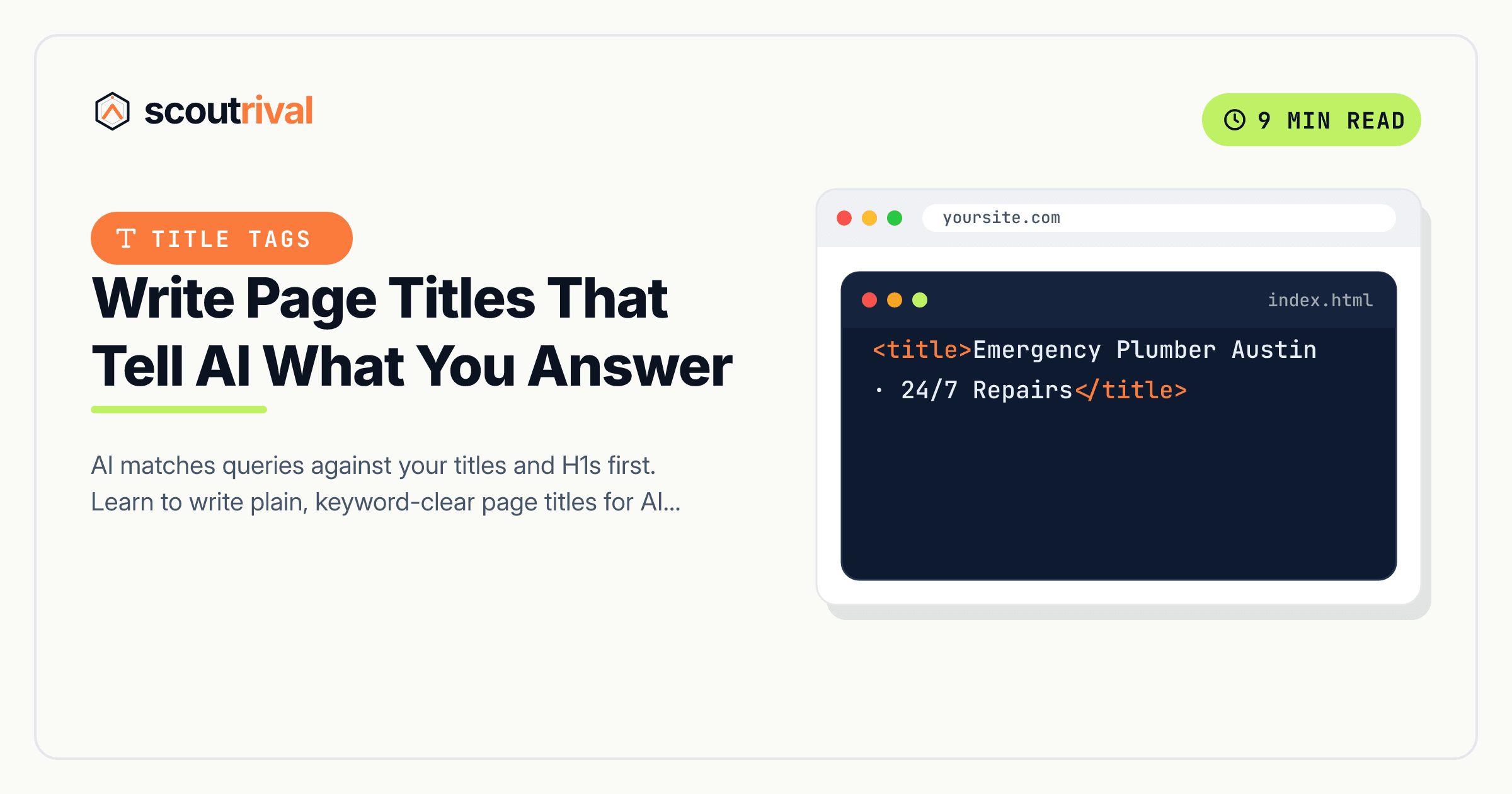
Write Page Titles That Tell AI What You Answer
AI matches queries against your titles and H1s first. Learn to write plain, keyword-clear page titles for AI search on WordPress, Wix, Squarespace, Webflow and Shopify.

On this page
If ScoutRival’s Site Audit flagged “Title/H1 says what the page answers,” it means one or more of your page titles is too clever, too vague, or too brand-focused to tell AI what question the page actually answers. Titles are the first thing a retrieval system reads, so a plain, descriptive title is one of the fastest AI-visibility wins there is. This guide shows you how to write them and set them on every major platform.
Why titles and H1s are the first thing AI reads
When someone asks an AI engine “emergency roof repair in Austin, how much?”, the system has to find candidate pages fast. It doesn’t read every page in full first — it matches the query against the most prominent, structured signals a page offers, and the title tag and the H1 sit right at the top of that list.
This matters even more for ChatGPT, whose search layer leans on Bing’s index. Bing selects candidate pages largely on title relevance — the words in your <title> are doing a huge amount of the matching work. If your title says exactly what the page answers, in plain words, you’re a strong candidate. If it says “Transform Your Smile ✨” you’ve stripped out every keyword the model was looking for, and a competitor with a clearer title gets pulled in instead.
There’s a second, subtler failure mode: a title that oversells what the page delivers. If your title promises “The #1 Cheapest Botox in Texas” but the page doesn’t back that up, the mismatch can get the page filtered — the model, and Google’s systems, penalise the gap between promise and content. Plain and honest wins.
What a good AI-friendly title looks like
The reliable pattern for a local business is:
[Service] in [City] — [Cost / Timeline / key detail] | [Brand]
A few real examples:
Emergency Roof Repair in Austin — Cost & Timeline | Smith RoofingInvisalign in Denver — Pricing & Treatment Time | Bright DentalPest Control in Tampa — Same-Day Service | GreenShield
Notice what each does:
- Service first. The most important keyword is at the front, where it carries the most weight.
- City included (for local businesses). “In Austin” is a direct match for “near me” and “in [city]” queries.
- A useful detail — cost, timeline, “same-day” — that matches the sub-question buyers actually ask.
- Brand at the end, after a pipe. Your brand belongs in the title, just not instead of the keywords.
- Roughly 50–60 characters so it doesn’t get truncated.
Your H1 (the big visible headline on the page) should match the same intent. It can be a touch friendlier or more human than the title tag, but for a local page it still needs the service — and ideally the city. Don’t let your H1 be a vague slogan while your title tag does all the work; both are read.
Title tags and H1s work hand in hand with question-form headings deeper on the page — the H2s and H3s written as the exact questions buyers ask. (See our guide on FAQ content for AI search for that layer.)
How to set titles and H1s on your platform
On most platforms the title tag (what AI matches) and the H1 (what visitors see) are set in different places. Here’s both, per platform.
WordPress
- Title tag: edit the page, then set the SEO title in your plugin. In Yoast, it’s the “SEO title” field in the Yoast box below the editor. In Rank Math, it’s Edit Snippet → Title. Write it in the
[Service] in [City] — [detail] | [Brand]format. - H1: in WordPress the page title at the top of the editor becomes the H1 by default. Make sure it carries the service (and city) — not just a slogan. If your theme splits them, check the page in the browser and confirm the visible H1 includes the keywords.
- Check length: Yoast and Rank Math both show a snippet preview — keep the title from turning orange/red for length (~60 chars).
- Repeat for every key service, location, and pricing page.
Wix
- Open the page, go to SEO Basics (the SEO panel for that page).
- Set the title tag to the
[Service] in [City] — [detail] | [Brand]format. - On the page itself, set your main heading (Heading 1) text to match the intent — Wix lets you tag a text element as H1.
- Save and publish.
Squarespace
- In the page’s Settings → SEO, set the SEO Title to the plain, keyword-clear format.
- On the page, make sure your top heading block is set as Heading 1 and carries the service and city.
- Squarespace often uses the page title as a fallback SEO title — override it with the descriptive version if the page title is short or brand-only.
Webflow
- In page settings, set the Title Tag field to the descriptive format.
- On the canvas, ensure the primary heading element uses the H1 tag and includes the service (and city). Webflow lets you set the tag on any heading element.
- Publish so the changes go live on your real domain.
Shopify
- Under the page, product, or blog post, open Edit website SEO (the “search engine listing” section).
- Set the page title to
[Service/Product] in [City] — [detail] | [Brand]. - Your theme controls the H1 — confirm in the browser that the visible headline carries the keywords; adjust the heading text in the theme editor or page content if it’s a vague slogan.
Any other platform
Every CMS separates the title tag (in <head>) from the visible H1. Set the title tag to the plain descriptive format, make the H1 match the intent, keep the title ~50–60 characters with the service first, and put your brand at the end.
Generate title options fast
If you’re a ScoutRival customer, Compose can generate title and H1 variants for any page seeded with your service and city — so you’re choosing from clear options instead of staring at a blank field. Pick the one that reads naturally, fits the character budget, and honestly matches the page content. As always, make sure the title doesn’t promise something the page doesn’t deliver.
How to confirm it worked
- View any key page and check that both the browser tab title (
<title>) and the on-page H1 contain the service, and the city for local pages, in plain words. - Confirm there’s no promise/content mismatch — the title doesn’t claim something the page can’t back up.
- Search your service and city in ChatGPT or Perplexity and see whether your page is a candidate. (Answers vary, so try a couple of times.)
- Re-run your ScoutRival Site Audit — the “Title/H1 says what the page answers” check should turn green.
Common mistakes to avoid
- Brand-only or slogan titles. “Bright Dental — Smile Brighter” tells AI nothing about what the page answers. Lead with the service.
- Clickbait and emoji titles. “Transform Your Smile ✨” strips out the keywords the model matches against. Save the flair for social; keep titles plain.
- Leaving the city off local pages. “Roof Repair — Cost & Timeline” is far weaker for local retrieval than “Roof Repair in Austin — Cost & Timeline.” The city is a direct match for “near me” and “in [city]” queries.
- Overselling. A title that promises more than the page delivers (“#1 Cheapest in Texas”) can get the page filtered. Match the title to the truth.
- Identical titles across pages. If every service page shares one generic title, AI can’t tell them apart. Each page needs its own service-specific title.
- A vague H1 with a good title tag (or vice versa). Both get read. Make sure the visible H1 also carries the intent, not just the hidden title tag.
- Titles that get truncated. Past ~60 characters, the end gets cut off. Front-load the service and keep it tight.
The bottom line
Your page title is the first thing an AI engine reads, and for ChatGPT’s Bing-backed layer it’s most of what decides whether your page is even a candidate. Swap clever taglines for plain descriptions — service first, city included, a useful detail, brand at the end, around 50–60 characters — and make your H1 match the intent. It’s a five-minute edit per page and one of the highest-leverage AI-visibility fixes you can make.
Not sure which of your titles are too clever for their own good? Run a free Site Audit with ScoutRival — it flags the pages whose titles don’t say what they answer and suggests clearer ones.
Frequently asked questions
Why do page titles matter so much for AI search?
What's the best title format for a local business?
Should my title tag and my H1 be identical?
Why are clever or emoji titles bad for AI visibility?
Can a title hurt me if it oversells?
How long should a page title be?
Nasir Uddin is an SEO consultant and ScoutRival's SEO & Growth Lead. He's spent years helping small businesses climb the search results — and now the AI answers too — and writes about SEO, AI-search visibility, and turning organic traffic into real growth.
Keep reading
All AI & Content →
Stop reading about it. Ship it this week.
ScoutRival turns competitor intel into ready-to-post content and graphics — for a fraction of an agency.