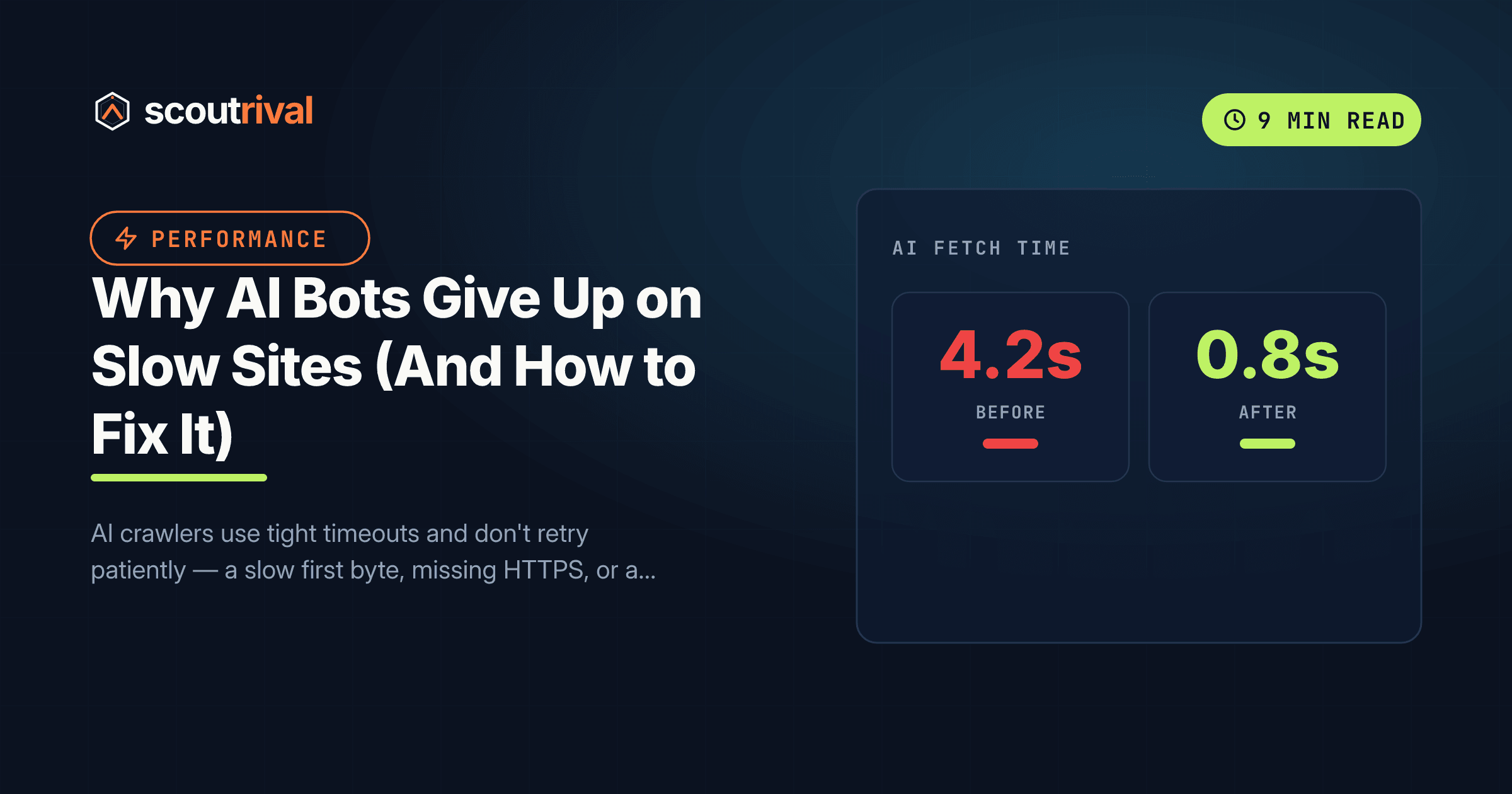
Why AI Bots Give Up on Slow Sites (And How to Fix It)
AI crawlers use tight timeouts and don't retry patiently — a slow first byte, missing HTTPS, or a long redirect chain can make them give up. Here's how to fix TTFB, SSL, viewport and redirects on any platform.

On this page
If ScoutRival’s Site Audit flagged “Fast, clean, secure responses,” it means at least one of four basics — speed, HTTPS, status codes, or redirects — is making it harder for AI crawlers to fetch and parse your pages reliably. Unlike a human, a bot won’t sit through a slow load or follow a maze of redirects. It has a budget, and when your site burns it, the bot moves on to a competitor. This guide fixes all four signals in plain steps.
Why speed matters more for bots than for people
A human visitor will tolerate a slow site — they’ll watch a spinner for a second or two, maybe reload. AI crawlers won’t. Server-log analyses (including Vercel’s) show these fetchers work on tight timeouts, often between one and five seconds, and don’t retry patiently. If your server’s first byte doesn’t arrive in time, the bot abandons the fetch and you’re simply not in the answer.
That’s the mental model to hold: every AI crawl is a stopwatch. Four things run down that clock or trip the fetch entirely — a slow first byte, an insecure or mixed-content connection, a bad status code, and a long chain of redirects. Fix all four and your pages fetch cleanly, fast, every time.
Signal 1 — Time to First Byte (TTFB)
Time to First Byte is how long your server takes to start responding. It’s the single biggest lever on whether a bot finishes the fetch. Target: under ~1.5 seconds.
WordPress
- Install a caching plugin. Options: WP Rocket (premium — Settings → WP Rocket → Cache), or free LiteSpeed Cache (if your host runs LiteSpeed) or W3 Total Cache. Caching serves a pre-built page instead of rebuilding it on every request, which is the biggest TTFB win.
- Add a CDN. Cloudflare’s free plan puts a cached copy of your pages on servers near the crawler, cutting first-byte time. Point your domain through Cloudflare and enable caching.
- Still slow? The bottleneck is often cheap shared hosting. Moving to managed WordPress hosting (Kinsta, SiteGround, WP Engine) typically halves TTFB.
Other platforms
- Wix / Squarespace / Shopify — these are hosted on fast global infrastructure with a built-in CDN, so TTFB is usually fine. If a page is slow, the culprit is typically heavy third-party apps/widgets or oversized images — trim those.
- Webflow — served over a global CDN by default; keep an eye on large embeds and unoptimized images.
- Custom site — enable server/page caching, put a CDN in front, optimize database queries, and use a fast host. TTFB tuning here may need a developer.
Signal 2 — HTTPS
A secure connection isn’t optional. Pages served over plain http://, or https:// pages that load some assets over http:// (mixed content), look broken or untrustworthy to crawlers and browsers alike.
WordPress
- Enable free SSL (Let’s Encrypt) from your host’s control panel — most hosts offer a one-click toggle.
- In Settings → General, set both WordPress Address and Site Address to
https://. - Install the free Really Simple SSL plugin to catch and fix mixed-content warnings automatically.
Other platforms
- Wix, Squarespace, Webflow, Shopify — all provision SSL automatically on connected custom domains. Just confirm the padlock shows and there are no mixed-content warnings.
- Custom site — install a free Let’s Encrypt certificate, force an HTTPS redirect at the server, and update any hard-coded
http://asset URLs.
Signal 3 — Clean status codes and a viewport tag
Crawlers want a straight 200 OK. Watch for:
- Soft 404s — a “page not found” message served with a 200 status. Real missing pages should return an actual 404 or a proper 301 redirect to a live page.
- Unexpected 403/429 — often a firewall or CDN challenging bots. If AI bots specifically are being blocked at the edge, that’s a related issue; see our guide on whether Cloudflare is blocking AI crawlers.
- A missing mobile viewport tag. Modern themes include
<meta name="viewport" content="width=device-width, initial-scale=1">. Confirm it’s in your page source (View Source → Ctrl-F “viewport”). If it’s missing, your theme is outdated — update it, or add the tag via your theme’s header (developer help on custom sites).
Signal 4 — Short redirect chains
Every redirect is a round trip that eats the crawler’s time budget. A chain like http:// → https:// → https://www → https://www/page/ is four hops for one page — and three of them are wasted.
WordPress
- Install the free Redirection plugin (Tools → Redirection).
- Point every old or moved URL directly to its final destination in one hop — don’t let redirects chain through each other.
- Fix internal links to use the canonical form (correct protocol and www/non-www) so they don’t trigger a redirect at all.
Other platforms
- Shopify / Wix / Squarespace — use the built-in URL-redirect manager; enter the final destination directly, avoid stacking rules.
- Webflow — set 301 redirects in Project Settings → Publishing; point to the final URL.
- Custom site — collapse chains in your
.htaccess(Apache) or nginx config so the first redirect lands on the final URL. Pick one canonical host (www or non-www) and redirect the other directly. Redirect config may need a developer.
How to confirm it’s fixed
- TTFB: run your homepage through Google PageSpeed Insights or your host’s speed tool — first byte under ~1.5s, and no “reduce redirect chain” warning.
- HTTPS: the browser shows a padlock, and there are no mixed-content warnings in DevTools → Console.
- Status + redirects: run
curl -I https://yourdomain.com— you should see 200 after at most one redirect. Test a few key inner pages too. - Viewport: View Source and confirm the
<meta name="viewport">tag is present. - Re-run your ScoutRival Site Audit — the MR2 “fast, clean, secure responses” check should clear.
Common mistakes to avoid
- Assuming a fast browser experience means a fast crawl. Your browser caches assets and runs on your fast connection. TTFB is about the server’s response time on a cold request — measure it directly.
- Leaving a caching plugin misconfigured. An installed-but-inactive cache does nothing. Confirm caching is actually on and purge it after big changes.
- Ignoring mixed content. One
http://image on anhttps://page triggers warnings. Really Simple SSL or a search-replace fixes it. - Stacking redirects over the years. Each site migration adds a hop if you’re not careful. Periodically flatten chains so every redirect lands on the final URL in one step.
- Redirecting to a redirect. Pointing
/oldto/newwhen/newitself redirects to/newestrecreates the chain. Always target the true final URL. - Forgetting mobile viewport. It’s a one-line tag, but its absence flags your pages as outdated to crawlers. Add it.
The bottom line
AI crawlers fetch on a stopwatch. A slow first byte, a missing padlock, a soft-404, or a four-hop redirect chain each give the bot a reason to give up before it ever reads your content — and no error message tells you it happened. Get TTFB under ~1.5 seconds with caching and a CDN, force clean HTTPS, return honest status codes with a viewport tag, and collapse redirects to a single hop. It’s the same hygiene that speeds up your site for customers — AI just punishes the lack of it faster. Once your pages fetch cleanly, make sure the crawler can actually read your raw HTML and extract your main content.
Want to know your real TTFB, redirect chains, and HTTPS status across every page — measured with a bot’s-eye view? Run a free Site Audit with ScoutRival and get a prioritized fix list.
Frequently asked questions
How fast does my site need to be for AI crawlers?
What is TTFB and why does it matter for AI search?
Do redirects hurt AI crawling?
Does HTTPS affect AI visibility?
How do I check my site's TTFB and redirects?
Why do bots give up faster than human visitors?
Nasir Uddin is an SEO consultant and ScoutRival's SEO & Growth Lead. He's spent years helping small businesses climb the search results — and now the AI answers too — and writes about SEO, AI-search visibility, and turning organic traffic into real growth.
Keep reading
All AI & Content →
Stop reading about it. Ship it this week.
ScoutRival turns competitor intel into ready-to-post content and graphics — for a fraction of an agency.